Steps at a glance
- In the morning, open Caisse and click Ouvrir un Shift.
- Enter the cash float, then click Ouvrir.
- Record the day's sales from the Point de Vente.
- In the evening, count the drawer and click Clôturer (Z).
- Enter the cash counted, click Clôturer and read the variance.
How it works
- Each user has their own shift, and only one open shift at a time.
- The page shows only the shift of the signed-in user. Two sales assistants on two accounts each have their own shift and their own closing.
- A sale is attached to the shift at the moment it is recorded, if the user has an open shift. A sale made with no open shift will not be attached to any shift.
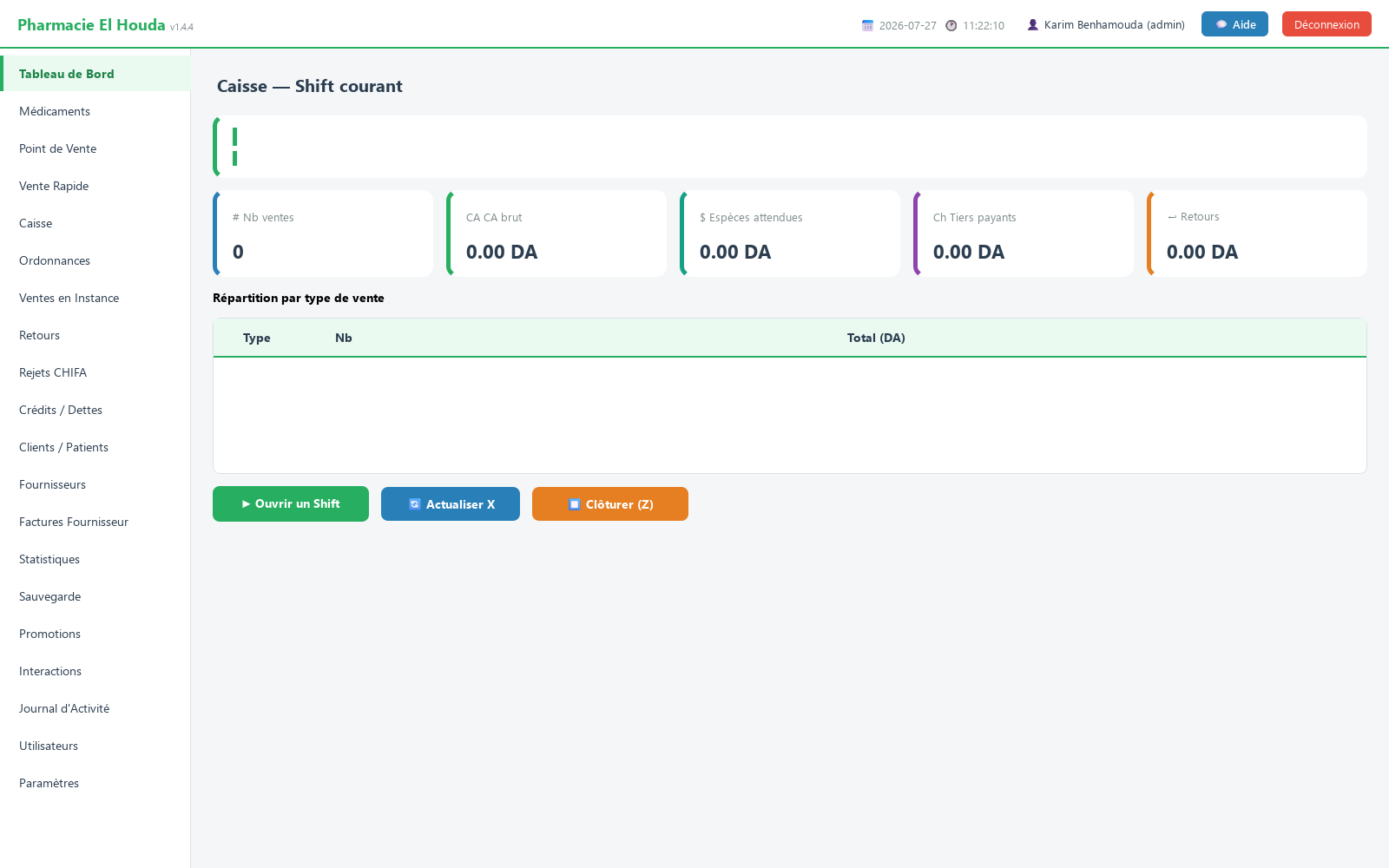
Opening a shift
- Open the Caisse (cash register) page. With no shift, the banner shows Aucun shift ouvert (no open shift).
- Click ▶ Ouvrir un Shift (open a shift).
- In Fond de caisse (DA) : (cash float), enter the cash actually in the drawer. Remarques : (remarks) is optional.
- Click Ouvrir (open). The banner shows Shift #N ouvert — fond de caisse … DA (shift #N open — float … DA), the opening time and your name.
During the day: the X report
Five cards summarise the open shift:
| Card | Content |
|---|---|
| Nb ventes (number of sales) | Number of checked-out sales in the shift (excluding returns) |
| CA brut (gross revenue) | Total of those sales (cash + third party) |
| Espèces attendues (expected cash) | Cash float + amounts entered in Montant paye + returns (negative) |
| Tiers payants (third-party payers) | Total of the Chifa, CASNOS, mutual insurance and military fund shares |
| Retours (returns) | Total of refunds (negative value) |
The Répartition par type de vente (breakdown by sale type) table gives the number and amount per type. Click 🔄 Actualiser X (refresh X) as often as needed: the X report is for information only and closes nothing.
Closing: the Z report
- Physically count the cash in the drawer.
- Click ⏹ Clôturer (Z) (close). The Clôturer le Shift (Z-report) window recalls the float, the sales, the cash share, the returns and the Total espèces attendu (total expected cash).
- In Espèces comptées (DA) : (cash counted), enter the amount counted. The field is pre-filled with the expected amount: replace it with your actual count, otherwise the variance will always be zero.
- Add an explanation in Remarques : if needed, then click Clôturer.
- The Shift clôturé (shift closed) window shows Expected, Counted and Variance (counted − expected): negative = shortage, positive = surplus.
What goes into the shift
| Operation | In the shift? |
|---|---|
| Sale checked out at the Point de Vente (all types) | Yes |
| Refund from the Retours page by the same user | Yes, as a negative |
| Pending sale once settled | Yes, in the shift in which it was created, if that shift is still open |
| Vente Rapide (quick sale) sales | No |
| Credit sale (down payment received) | No |
| Debt payments (Crédits / Dettes page) | No |
Watch the Montant paye field
Espèces attendues adds up the Montant paye (DA) (amount paid) field of every sale. So:
- For a cash sale, keep the suggested value (the total). If you type in the sum handed over by the customer (for example 1 000 DZD for a 700 DZD sale), 1 000 DZD is counted and a false variance equal to the change given will appear at closing.
- For a Chifa or other third-party sale, put only the patient's share in Montant paye, and the third party's share in its own field.
Common mistakes
- Selling before opening the shift: those sales join no shift. Open it first thing every morning.
- Confirming the closing without counting: the zero variance shown then means nothing.
- Selling on a colleague's account: the sale goes into the shift of the signed-in account.
- Message Shift #N déjà ouvert pour cet utilisateur. (shift already open for this user): a shift is already open; close it first with ⏹ Clôturer (Z).
Frequently asked questions
What is the difference between the X report and the Z report?
The X report (Actualiser X) shows the state of the shift without closing it, as many times as you like. The Z report (Clôturer) asks for the cash counted, calculates the variance and locks the shift permanently.
Why do I have a variance when my drawer is correct?
Most often because the sum handed over by the customer was entered in Montant paye instead of the total, or because Vente Rapide sales and debt payments are not counted in the expected cash.
Are Vente Rapide sales included in the closing?
No. They are not attached to the shift and do not appear in the X and Z reports.
Can two sales assistants work at the same time?
Yes, each user has their own shift, which they open and close from their own account.
Try PharmaPro in your pharmacy
15 days free with every feature, then 45 000 DZD once.
Download and try freeBuy the licence