Steps at a glance
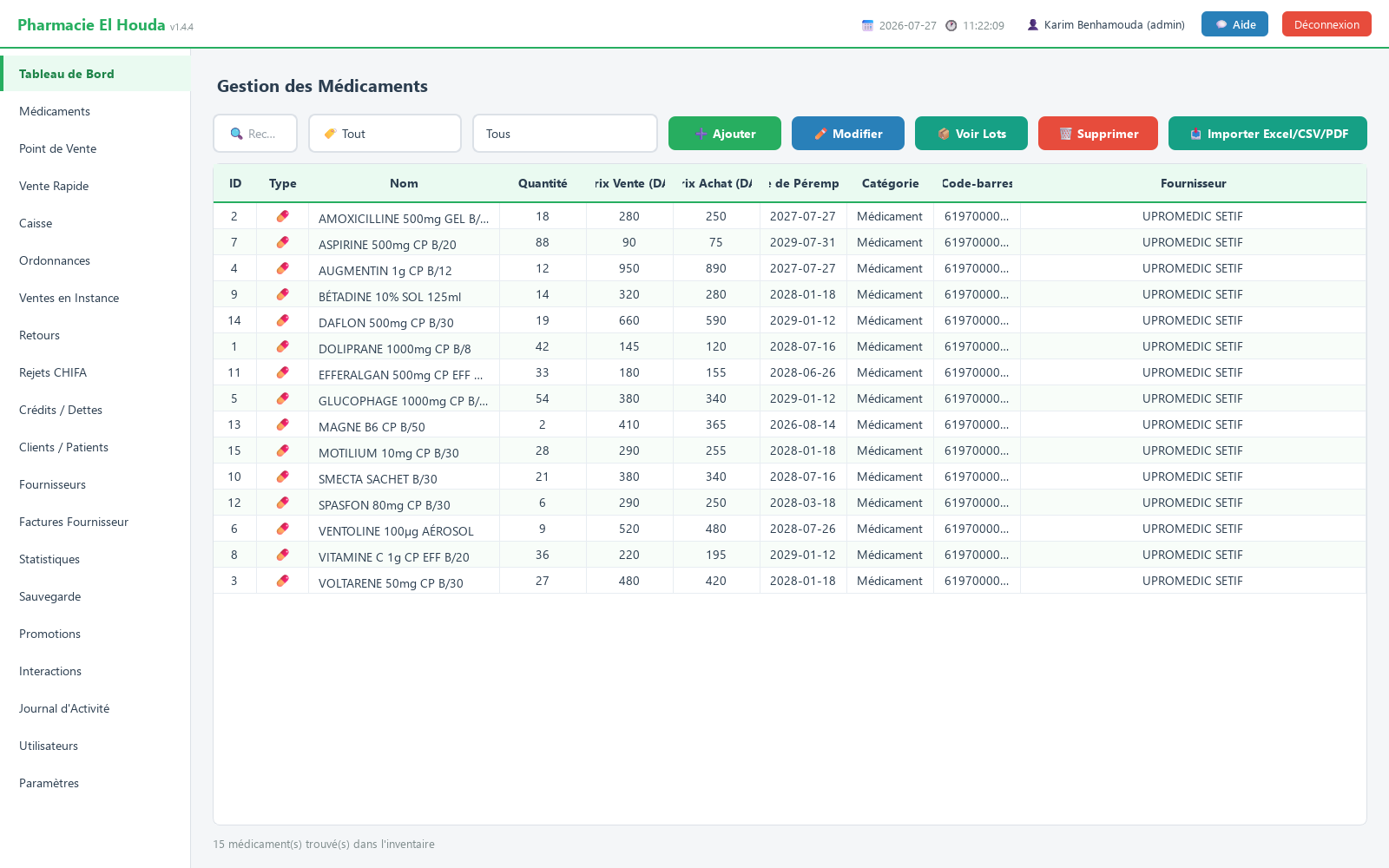
- Open the Médicaments page.
- Search for the medicine and select it.
- Click Voir Lots.
- Check the batches sorted by expiry date (DDP) and compare their sum with the Stock total.
What a batch is in PharmaPro
A batch is attached to a product and contains:
| Column in the batches window | Meaning |
|---|---|
| Quantité | Quantity left in the batch |
| DDP | Expiry date |
| Prix Achat | Purchase price of this delivery |
| Réception | Date received |
| Fournisseur / Facture | Original supplier and invoice |
| Remarques | Origin of the batch (invoice, manual entry, migration) |
The quantity shown in Médicaments (medicines) is the total used for sales and search.
How batches are created
- Supplier invoice: in Factures Fournisseur (supplier invoices) → ➕ Nouvelle Facture (new invoice), each line (medicine, quantity, price, Péremption (expiry)) creates a batch linked to the invoice, adds the quantity to the product and updates its purchase price. This is the recommended method for every delivery.
- Manual addition of a product with a quantity above zero: batch marked Saisie manuelle (manual entry), dated with the Date d'enregistrement (entry date).
- Automatic migration: at launch, any product in stock with no batch at all receives a Lot de migration (stock initial) (migration batch, initial stock) covering its stock.
The FEFO rule at the counter
For every recorded sale (Point de Vente, Vente Rapide, credit, pending sale):
- The product's batches are sorted by expiry date (DDP), from the nearest to the furthest.
- The quantity is taken from the first batch, then from the next one when it runs out.
- Any remainder not covered by a batch (older or imported stock) is deducted directly from the total.
- If the total stock is insufficient, the whole sale is refused and nothing is deducted.
Viewing a product's batches
- Open Médicaments and select the product.
- Click 📦 Voir Lots (view batches).
- The Lots — … window shows the Stock total (cache), the number of batches, then the batches sorted by ascending expiry date, with the reminder: Le POS dégage du lot dont la DDP est la plus proche en premier (FEFO). (the POS takes from the batch with the nearest expiry date first).
Expiry alerts
- Dashboard: ⚠ ALERTE PÉREMPTION (dans N jours) (expiry alert, within N days) lists up to 8 products expiring between today and N days from now.
- Médicaments page: the Expire bientôt (expiring soon) filter shows all products in the same window.
- N is set in Paramètres → Alerte peremption (jours) (30 by default).
Returns and cancellations
When a refund is made (Retours page) or a pending sale is cancelled (Ventes en Instance), the quantity is returned to the product's most recent batch — the software does not know which batch the box came from — and added to the total.
Good practices
- Enter every delivery through Nouvelle Facture with the expiry date read on the boxes.
- When a batch arrives with an earlier date than the one on the product record, update the product's Date de Péremption to keep the alert accurate.
- Check the Expire bientôt filter every week and arrange the shelves in the order in which the software takes the batches out.
- No screen lets you edit or delete a batch directly: accuracy depends on data entry.
Frequently asked questions
What does FEFO mean in pharmacy software?
First Expired, First Out: at the counter, PharmaPro first deducts from the batch that expires soonest, then from the next one.
How do I see the expiry dates of each batch?
In Médicaments, select the product, then click Voir Lots: batches are sorted from the nearest to the furthest date.
Does PharmaPro block the sale of an expired product?
No. FEFO takes the batch with the nearest date even if it has expired; remove expired boxes and correct the quantity.
Why doesn't an expired product appear in the alert?
The alert covers products expiring between today and the alert period. Products that have already expired are found by sorting the Date de Péremption column.
Try PharmaPro in your pharmacy
15 days free with every feature, then 45 000 DZD once.
Download and try freeBuy the licence