Steps at a glance
- Open Promotions with an admin account.
- Click ➕ Nouvelle Promo, then search for and select the medicine.
- Choose the Type (% or DA) and enter the Valeur.
- Tick Date de début and Date de fin if the promotion is time-limited.
- Leave "Activer immédiatement" ticked and confirm.
Access to the page
The Promotions page is restricted to the admin role. A worker does not see it, but the discounts set by the admin apply to their sales.
Columns: ID, Médicament, Remise (e.g. -20% or -50.00 DA), Du, Au, Actif (✓ / ✗), Remarques. Filters: Toutes, Actives, Expirées, Désactivées (all, active, expired, disabled); search by medicine name or note.
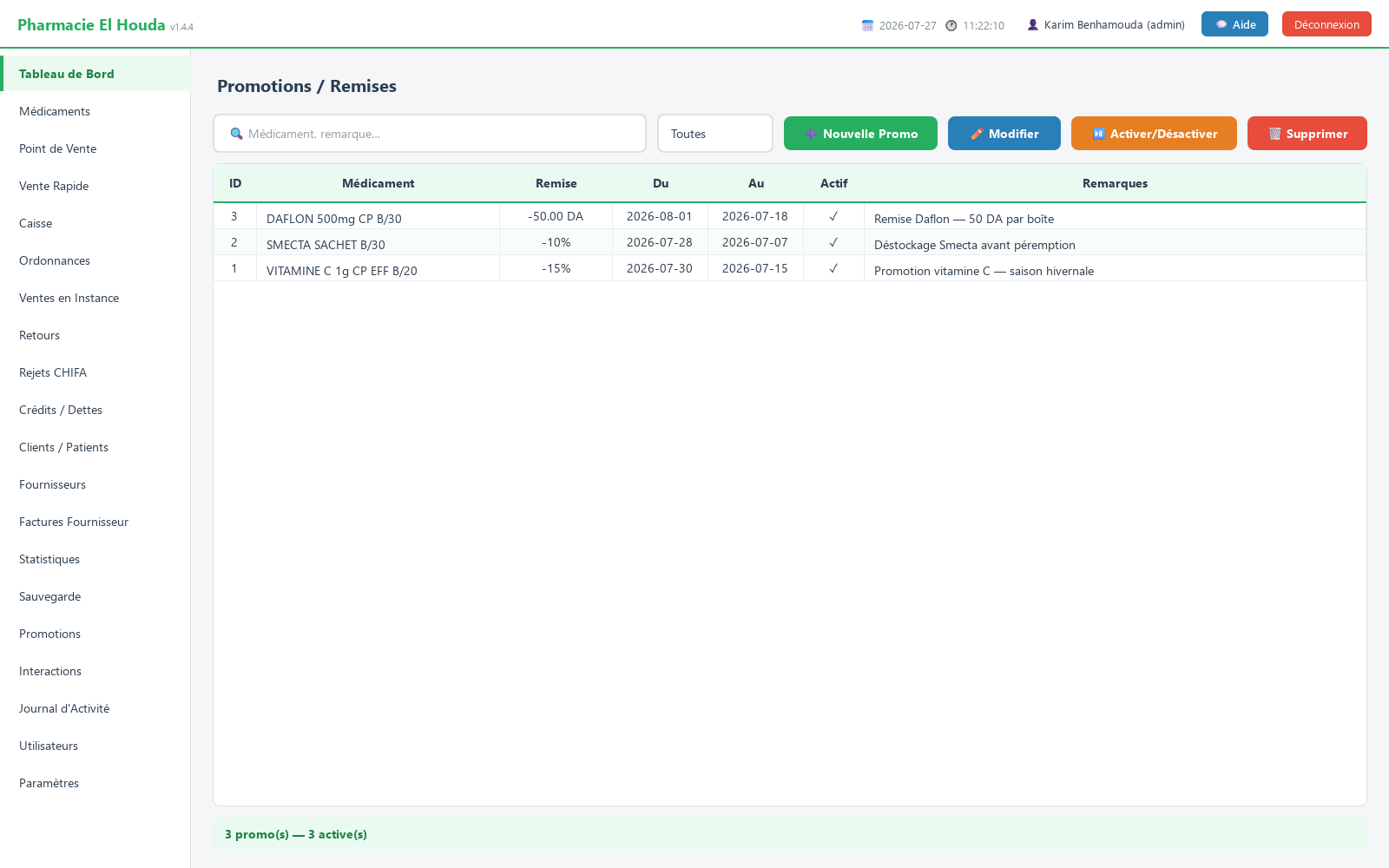
Create a promotion
- Click ➕ Nouvelle Promo (new promotion).
- In Rechercher médicament…, type part of the name and choose the product (40 results at most: refine if needed).
- Type : % (pourcentage) or DA (montant fixe) (fixed amount).
- Valeur : (value) e.g. 20 for -20%, or 50 for -50 DZD on the unit price. The value must be greater than 0 and a percentage cannot exceed 100.
- Optional: tick Date de début and/or Date de fin (start / end date). Without a date, the discount stays valid as long as it is active.
- Activer immédiatement (activate immediately) is ticked by default; untick it to prepare a promotion without launching it.
- Add Remarques : if needed and confirm.
When is a promotion in effect?
The discount applies if all three conditions are met:
- the promotion is enabled (✓ in Actif);
- today's date is on or after the start date (if there is one);
- today's date is on or before the end date (if there is one) — the end day is included.
If several valid promotions target the same medicine, the most recently created one applies.
At the Point de Vente
- When the product is added to the Point de Vente (point of sale) basket, the discounted unit price is calculated and shown.
- A percentage reduces the price by that much; a fixed amount subtracts the stated DZD from the unit price, never going below zero.
- The discount is calculated when the item is added to the basket: changing the promotion during a sale does not change a basket that is already open.
- The total of discounts (promotions + loyalty) is saved with the sale.
Edit, suspend or delete
- ✏️ Modifier or a double-click: change the medicine, type, value or dates.
- ⏯ Activer/Désactiver: suspend or restart without deleting — handy for seasonal promotions.
- 🗑️ Supprimer: permanent deletion after confirmation.
Calculation examples
| Unit price | Promotion | Price in the basket |
|---|---|---|
| 450 DZD | % (pourcentage) = 20 | 360 DZD (90 DZD discount per unit) |
| 450 DZD | DA (montant fixe) = 50 | 400 DZD |
| 30 DZD | DA (montant fixe) = 50 | 0 DZD (never below zero) |
The discount applies to the unit price and is then multiplied by the quantity: two boxes in the first example come to 720 DZD.
Frequently asked questions
How do I apply a percentage discount to a medicine?
Open Promotions (admin), click ➕ Nouvelle Promo, choose the medicine, Type = % (pourcentage), the value, and optionally the dates.
Does the promotion apply in Vente Rapide?
No, only in the Point de Vente.
Is the end date included?
Yes, the promotion remains valid until the end of the end-date day.
What happens with two promotions on the same medicine?
Among the promotions in effect, the most recently created one applies.
Try PharmaPro in your pharmacy
15 days free with every feature, then 45 000 DZD once.
Download and try freeBuy the licence